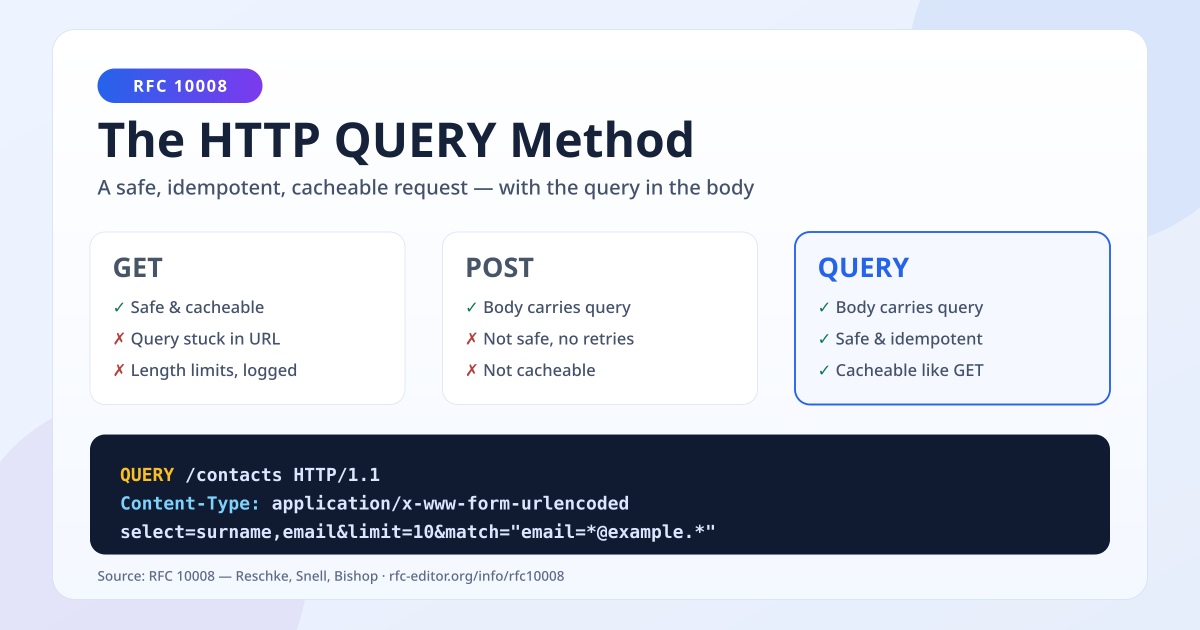
New HTTP Method Just Dropped: Meet QUERY
HTTP finally has a QUERY method. Learn what RFC 10008 changes, why GET and POST fell short for complex searches, and how QUERY works — with simple examples.

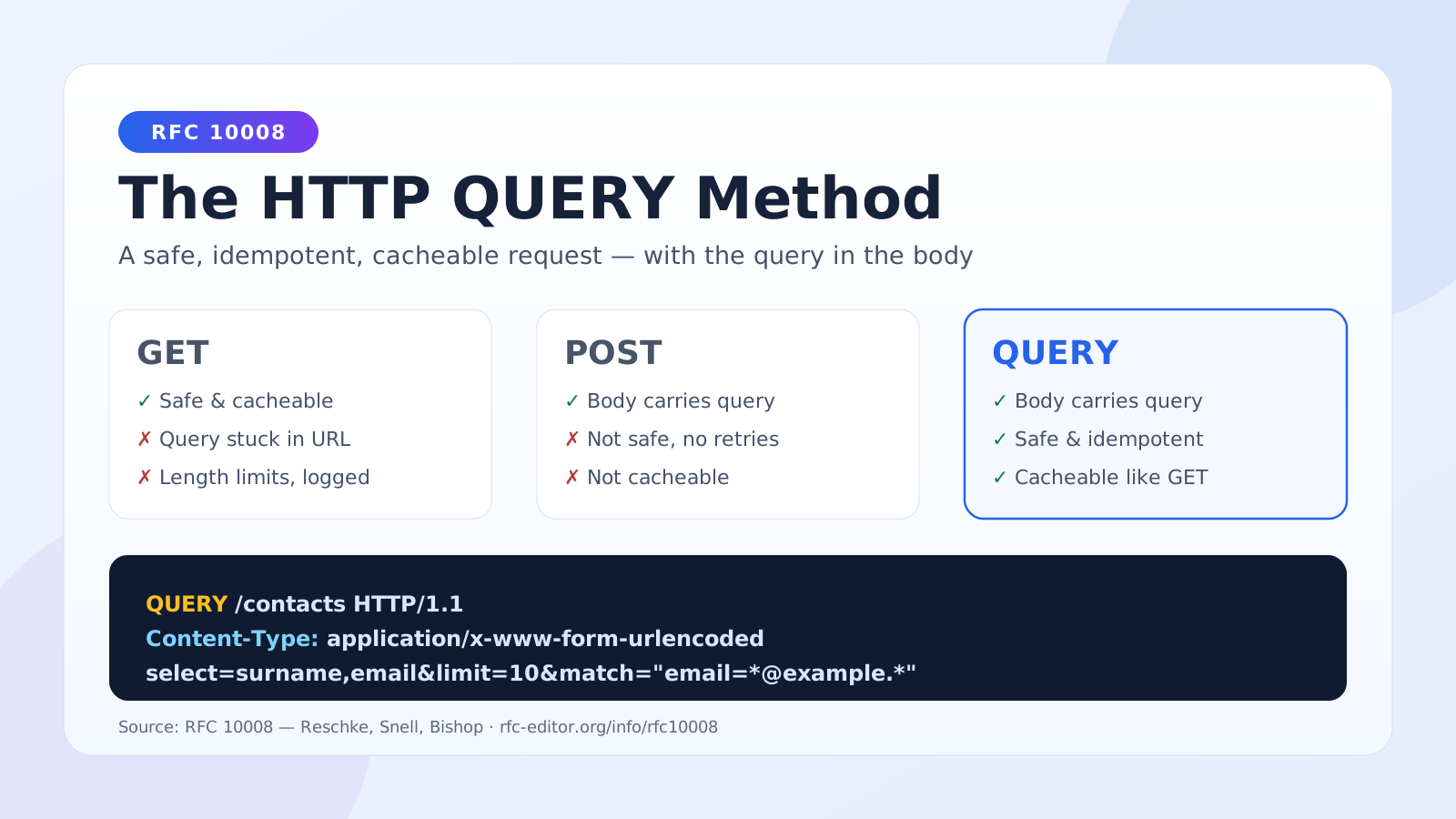
A New HTTP Method Just Dropped: Meet QUERY (RFC 10008)
For almost three decades, developers building APIs have faced an awkward choice: send a search query with GET and cram everything into the URL, or send it with POST and lose caching and retry safety. Neither option was designed for the job.
That gap is now officially closed. RFC 10008, published by the IETF as a Proposed Standard, defines a brand-new HTTP method: QUERY. It was authored by Julian Reschke, James M. Snell, and Mike Bishop — names you'll recognize from much of modern HTTP's standardization work.
This post is for anyone who builds or consumes APIs — even if you've never read an RFC in your life.
By the end of this article, you'll understand:
- What the QUERY method is and what problem it solves
- Why GET and POST were both the wrong tool for complex queries
- What "safe" and "idempotent" actually mean (in plain English)
- How QUERY requests and responses look on the wire
- How caching, conditional requests, and the
Accept-Queryheader work - How you can start experimenting with QUERY today
The Problem: GET and POST Were Never Enough
Imagine you're building a contact search API. A user wants to find all contacts whose email ends in @example.com, sorted by surname, limited to 10 results.
Option 1: GET — everything goes in the URL
GET /contacts?select=surname,givenname,email&limit=10&match=email%3D*%40example.* HTTP/1.1
Host: example.org
GET has two great properties: it's safe (it doesn't change anything on the server) and cacheable (browsers, CDNs, and proxies can store the response and reuse it).
But it has a serious limitation: the query lives in the URL, and URLs have practical problems:
- Servers, proxies, and CDNs often limit URL length (commonly around 2,000–8,000 characters). A complex filter expression, a GraphQL-style query, or a long list of IDs simply won't fit.
- Everything must be percent-encoded, which gets ugly and error-prone fast.
- URLs get logged everywhere — server access logs, proxy logs, browser history. If your query contains sensitive data (a national ID, an email address, medical terms), it ends up in log files.
Option 2: POST — everything goes in the body
POST /contacts/search HTTP/1.1
Host: example.org
Content-Type: application/x-www-form-urlencoded

select=surname,givenname,email&limit=10&match=%22email=*@example.*%22
Now the query fits comfortably in the request body. Problem solved? Not quite. POST throws away everything that made GET nice:
- POST is not safe by definition. The method itself tells caches, proxies, and tools nothing about whether it changes server state. A POST might create an order, or it might just search — nobody in the middle can tell.
- POST responses are effectively not cacheable in any practical way.
- POST cannot be automatically retried. If your network drops mid-request, a client can't safely resend a POST — it might create a duplicate order. So browsers and HTTP libraries won't retry it for you, even when your "POST" was really just a harmless search.
So developers have been stuck picking the lesser evil. Many real-world APIs (Elasticsearch's _search, most GraphQL servers) use POST for queries and just accept the downsides.
Option 3 (new): QUERY — the best of both
QUERY /contacts HTTP/1.1
Host: example.org
Content-Type: application/x-www-form-urlencoded
Accept: application/json

select=surname,givenname,email&limit=10&match=%22email=*@example.*%22
QUERY says exactly what it means: "process this request content as a query against the resource, and give me the result — without changing anything."
The body carries the query (like POST), while the method guarantees safety and idempotency (like GET). Caches can cache it. Clients can retry it. Logs don't need to contain it.
"Safe" and "Idempotent" in Plain English
These two words appear constantly in HTTP specs, so let's make them concrete:
- Safe means the request is read-only from the client's point of view. Asking the same question doesn't change anything on the server. GET is safe; DELETE obviously is not. QUERY is defined as safe: the RFC says the client "does not request or expect any change to the state of the target resource."
- Idempotent means doing the request once or five times has the same effect. This matters for reliability: if a connection drops and the client never got a response, an idempotent request can simply be sent again without fear. QUERY is idempotent, so clients, libraries, and proxies are allowed to retry it automatically.
POST is neither safe nor idempotent by definition — even when your particular endpoint happens to be harmless, nothing in the protocol communicates that. QUERY moves that promise into the method itself, where caches, browsers, SDKs, and middleboxes can act on it.
A Full Example: Request and Response
Here's the canonical example straight from the RFC. The client asks for contacts matching an email pattern:
QUERY /contacts HTTP/1.1
Host: example.org
Content-Type: application/x-www-form-urlencoded
Accept: application/json

select=surname,givenname,email&limit=10&match=%22email=*@example.*%22
And the server responds like any normal request:
HTTP/1.1 200 OK
Content-Type: application/json

[
  { "surname": "Smith", "givenname": "John", "email": "smith@example.org" },
  { "surname": "Jones", "givenname": "Sally", "email": "sally.jones@example.com" }
]
A few things to notice:
Content-Typeis required in spirit: the server needs to know how to interpret the query body. It could be form-encoded, JSON, SQL, JSONPath — whatever the server supports.Acceptworks as usual: you're asking for JSON results here, but the same query could return CSV or XML.- The response is a plain
200 OKwith content — nothing exotic.
Useful status codes
| Status | Meaning for QUERY |
|---|---|
200 OK |
Query processed; results are in the response body |
304 Not Modified |
Your cached result is still valid (conditional requests work!) |
415 Unsupported Media Type |
Server doesn't understand your query format |
422 Unprocessable Content |
Query is well-formed but semantically invalid (e.g., filtering on a field that doesn't exist) |
405 Method Not Allowed |
The server (or this resource) doesn't support QUERY at all |
Caching: The Superpower POST Never Had
This is the headline feature. Because QUERY is safe, responses can be cached — by browsers, CDNs, and reverse proxies — just like GET responses.
There's one crucial difference: with GET, the cache key is essentially the URL. With QUERY, two requests to the same URL can carry completely different queries in their bodies. So the RFC requires:
The cache key for a QUERY request MUST incorporate the request content and related metadata.
In practice, a cache stores something like "URL + hash of the request body + relevant headers" as the key. Same URL + same query body = cache hit. Same URL + different query = different cache entry.
Caches are also allowed to normalize the request content before hashing — for example, ignoring whitespace differences in a JSON query — as long as the meaning doesn't change. If you don't want intermediaries touching your request content, send the no-transform cache directive.
Conditional requests work too
Because QUERY follows GET-like semantics for its results, standard validators apply. A client can send If-None-Match with a previously received ETag, and the server can answer 304 Not Modified — skipping the expensive query execution and the response transfer entirely. For heavy analytical queries, that's a big deal.
Discovering Support: The Accept-Query Header
How does a client know a server supports QUERY, and in what format? RFC 10008 introduces a response header for that:
HTTP/1.1 200 OK
Accept-Query: "application/jsonpath", application/sql;charset="UTF-8"
This tells the client: "You can QUERY this resource, and I understand JSONPath and SQL queries." Servers can return it on any response (for example, to a GET or OPTIONS request), letting clients discover query capabilities before sending one.
GET vs POST vs QUERY at a Glance
| Property | GET | POST | QUERY |
|---|---|---|---|
| Query location | URL | Body | Body |
| Safe (read-only) | ✅ Yes | ❌ Not guaranteed | ✅ Yes |
| Idempotent (retryable) | ✅ Yes | ❌ Not guaranteed | ✅ Yes |
| Cacheable | ✅ Yes | ⚠️ Practically no | ✅ Yes (body-aware cache key) |
| Size limits | ⚠️ URL length limits | ✅ None | ✅ None |
| Sensitive data in logs | ❌ URLs get logged | ✅ Body rarely logged | ✅ Body rarely logged |
| Conditional requests (ETag/304) | ✅ Yes | ❌ No | ✅ Yes |
Security Considerations Worth Knowing
The RFC calls out a few points that are useful even for beginners:
- QUERY is better for sensitive query data than GET. Request URIs are far more likely to be logged than request bodies. If your search terms are sensitive, putting them in a QUERY body keeps them out of most access logs.
- Careful with result URLs. A server may mint a URL for query results and return it via
LocationorContent-Location(so results can be re-fetched with a plain GET later). The spec says those generated URIs SHOULD NOT embed sensitive parts of the original query — otherwise you've moved the secret right back into a loggable URL. - It's still user input. A query body is exactly as dangerous as any other user input. If your server accepts SQL-ish or expression-based query formats, validate and sandbox them like you would anything else. QUERY changes the transport, not the trust model.
Can I Use It Today?
QUERY is a brand-new Proposed Standard, so ecosystem support is still rolling out. The good news: HTTP methods are just tokens, so much of the stack already lets you experiment.
On the client, fetch accepts custom methods:
const res = await fetch("https://api.example.org/contacts", {
  method: "QUERY",
  headers: {
    "Content-Type": "application/json",
    "Accept": "application/json",
  },
  body: JSON.stringify({
    select: ["surname", "givenname", "email"],
    match: { email: "*@example.com" },
    limit: 10,
  }),
});
const contacts = await res.json();
Note that in browsers, QUERY is a non-simple method, so cross-origin requests will trigger a CORS preflight — your server needs to list QUERY in Access-Control-Allow-Methods.
On the server, most frameworks route custom methods with minor effort. In Express, for example:
// Express routes any method present in Node's http.METHODS list;
// otherwise, handle it in a middleware:
app.use((req, res, next) => {
  if (req.method === "QUERY" && req.path === "/contacts") {
    return handleContactQuery(req, res);
  }
  next();
});
Watch for these in the meantime:
- Proxies and CDNs need updates to cache QUERY properly (body-aware cache keys). Until then, expect QUERY to pass through uncached.
- API gateways and WAFs may reject unknown methods by default — check configuration before deploying.
- Framework support (routing decorators like
@Query()alongside@Get()and@Post()) will appear as adoption grows.
If you maintain an API that currently uses POST /search, you don't need to rush. A sensible migration path is to support both: advertise Accept-Query on the resource, handle QUERY natively, and keep the POST endpoint as a fallback for older clients.
Wrapping Up
RFC 10008's QUERY method fixes a mismatch that's been baked into web development since the 1990s:
- GET was safe and cacheable but couldn't carry a real query payload.
- POST could carry the payload but lied about nothing — it just couldn't promise anything.
- QUERY carries the payload and promises safety, idempotency, and cacheability.
For everyday CRUD, GET is still perfect. But the next time you find yourself base64-ing a filter expression into a URL, or writing a POST /search endpoint and wishing the CDN could cache it — QUERY is the method that was designed for exactly that moment.
You can read the full specification at rfc-editor.org/info/rfc10008 — and as RFCs go, it's a short, surprisingly readable one.
Share this post
Enjoyed this one?
Get new deep dives on backend, distributed systems, and AI engineering — no noise, unsubscribe anytime.

Backend engineer at Initializ.ai — building scalable systems with Go, Elixir, and Kubernetes. Writing about distributed systems, AWS, and the bugs that cost me hours.